OCR in 2026 - still a problem?
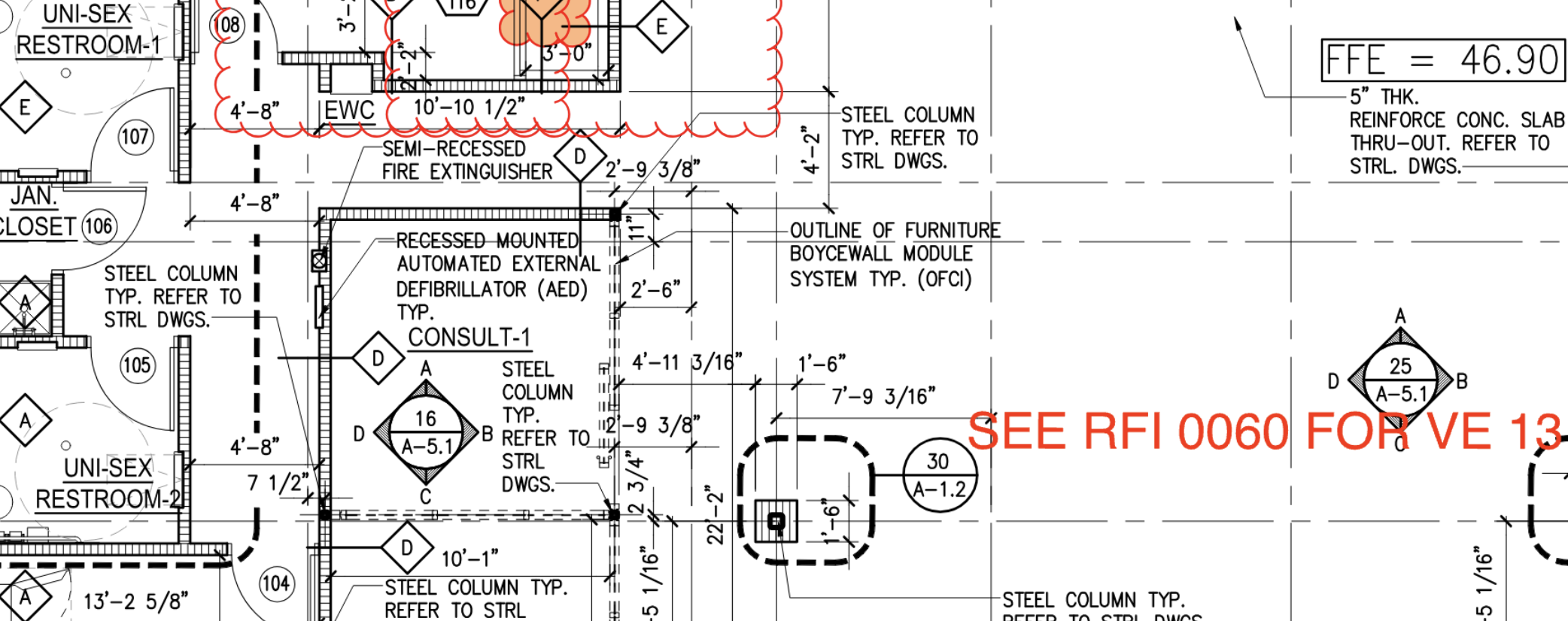
OCR is supposed to be solved. GPT-class models read receipts, IDs, handwritten notes, foreign-language menus. So when I picked up an OCR task at Scoreboard, my assumption was: pull a model off the shelf, point it at the image, ship it. That’s not how it went.
The actual problem
I’m not reading documents. I’m reading engineering drawings - the dense technical sheets that describe how a real physical object gets manufactured. Title blocks, dimension lines, tolerance callouts, weld symbols, GD&T frames, revision tables, balloons pointing into views. Pages where text isn’t laid out in lines - it’s anchored to geometry.
Here’s why “general OCR” doesn’t survive contact with these:
- Sheet size is huge. Drawings come in at A1, A0, sometimes larger - thousands of pixels on a side at usable DPI. Most off-the-shelf OCR and vision-LLM pipelines have fixed input dimensions; feed them a real drawing and half the solutions on the market are out of the game right out of the bed, before you’ve even looked at what’s on the page.
- Layout is non-linear. A drawing has no reading order. Text floats next to the geometry it annotates, rotated to fit, sometimes upside down relative to the sheet. A model that learned “scan left-to-right, top-to-bottom” produces nonsense word salad. Have you ever tried to catch a lone “1” floating in the middle of nowhere? It’s common - symbols hang off lines and arrows with no neighbors at all.
- Density and scale. A single sheet can carry hundreds of independent text fragments, with stamps and markups overlaid. And the font sizes don’t just vary - they can differ by 5x-10x on the same page. Downscale to fit a vision model’s input and the small text liquefies. Don’t downscale and you blow the context.
No off-the-shelf solution worked
I looked. There’s nothing on the market that I’ve seen that handles drawings end-to-end at the quality bar I needed. Different LLM agents - Claude, GPT, Gemini - were genuinely helpful along the way, sparring partners for ideas and code. But not one of them, when asked directly, produced a solution that actually worked on real drawings.
The closest thing that almost works: chop the sheet into small tiles, feed each one to a vision LLM, ask it questions. And it kind of answers - including doing rough OCR on what it sees. But it falls apart on the things that actually matter:
- It misses text. A lot of it. Whatever heuristic the model uses to decide “this is text worth reading” leaves real annotations on the floor.
- It can’t tell you where the text is. No reliable bounding boxes, no coordinates. You get a wall of strings detached from the geometry they were anchored to.
- And the funny one - in a lot of cases it produces output that’s close in meaning but not what’s literally on the drawing. It paraphrases. It “fixes” things. For a receipt that’s fine. For a drawing where someone is going to manufacture a part from those exact numbers, that’s a defect.
For me, two things were non-negotiable: every piece of text had to come back exactly as written, character for character, with a link back to the source of truth - its position on the sheet. Without position, downstream you have no way to associate a number with the feature it describes.
Then the harder question: how do you group it?
Suppose you’ve got every fragment perfectly. Now organize it into structurally correct chunks. Just read it top-to-bottom, left-to-right? Good luck. Plenty of text is vertical or inclined. Logically separate chunks sit physically close together - a tolerance from one dimension can be millimeters away from a note that has nothing to do with it. Logically related chunks can sit on opposite sides of the sheet, connected only by a leader line. Reading order on a drawing isn’t a property of the page - it’s a property of the geometry.
What I ended up with
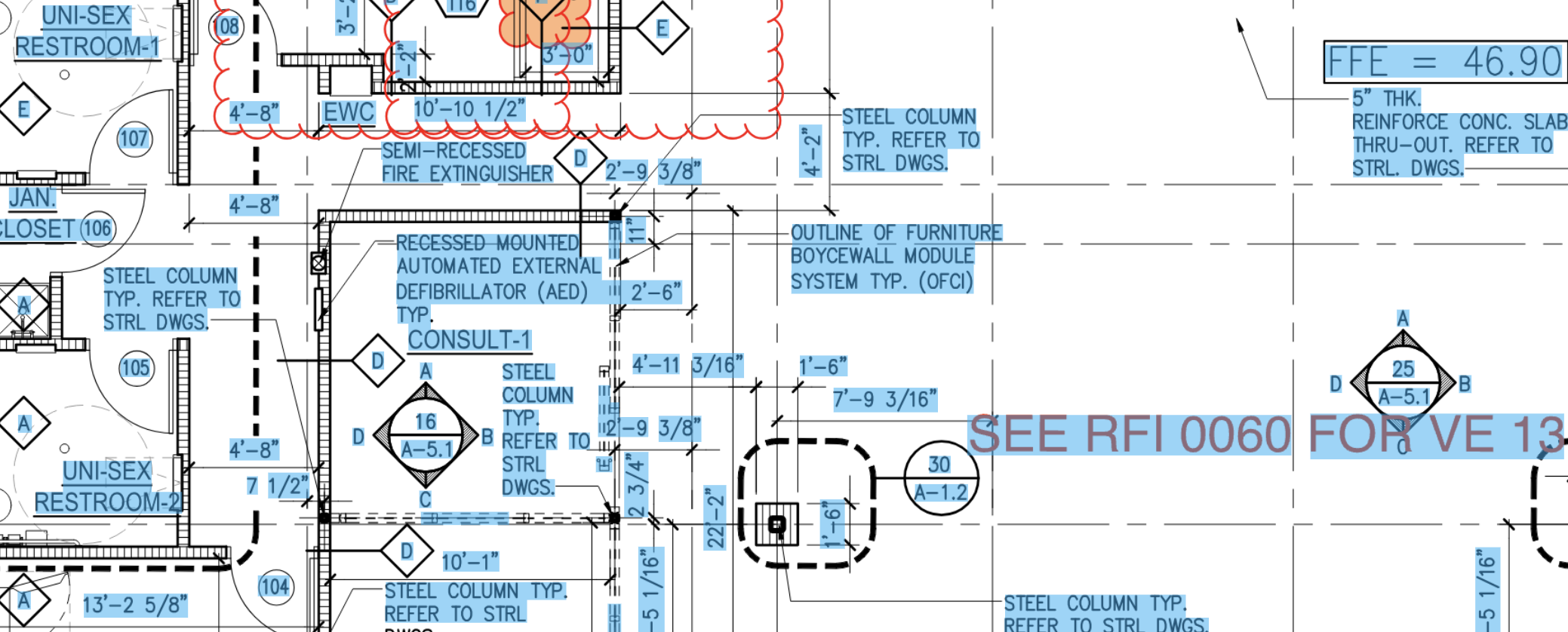
The decision was to stop hunting for a turnkey solution and build it ourselves: a custom, in-house model, trained on our data and run on our own infrastructure. End to end, ours.
I can’t share the exact numbers - but here’s the shape of it. End-to-end F1 sits comfortably above 0.9. Not “0.9 with the wind behind it” - well above, with real headroom. Does the system make mistakes? Yes, of course. But on noisy, ugly, real-world drawings the output looks startlingly close to perfect. A bit of minor noise around the edges, sure - but not a single load-bearing piece of information lost. As far as the use case goes, OCR is a solved problem. I got it there.
A few things worth calling out about the solution itself:
- It eats arbitrary sheet sizes. A4 to A0 to whatever oddball aspect ratio someone exported from CAD - no fixed input dimensions, no pre-resize that quietly destroys the small text.
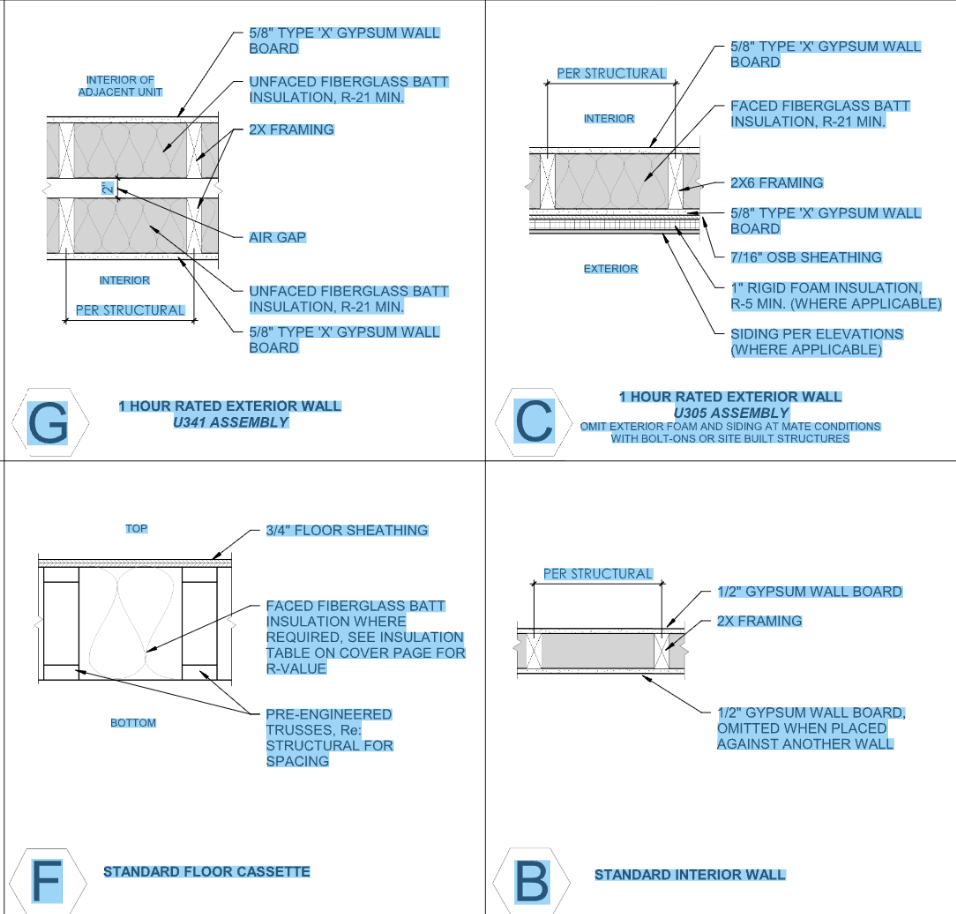
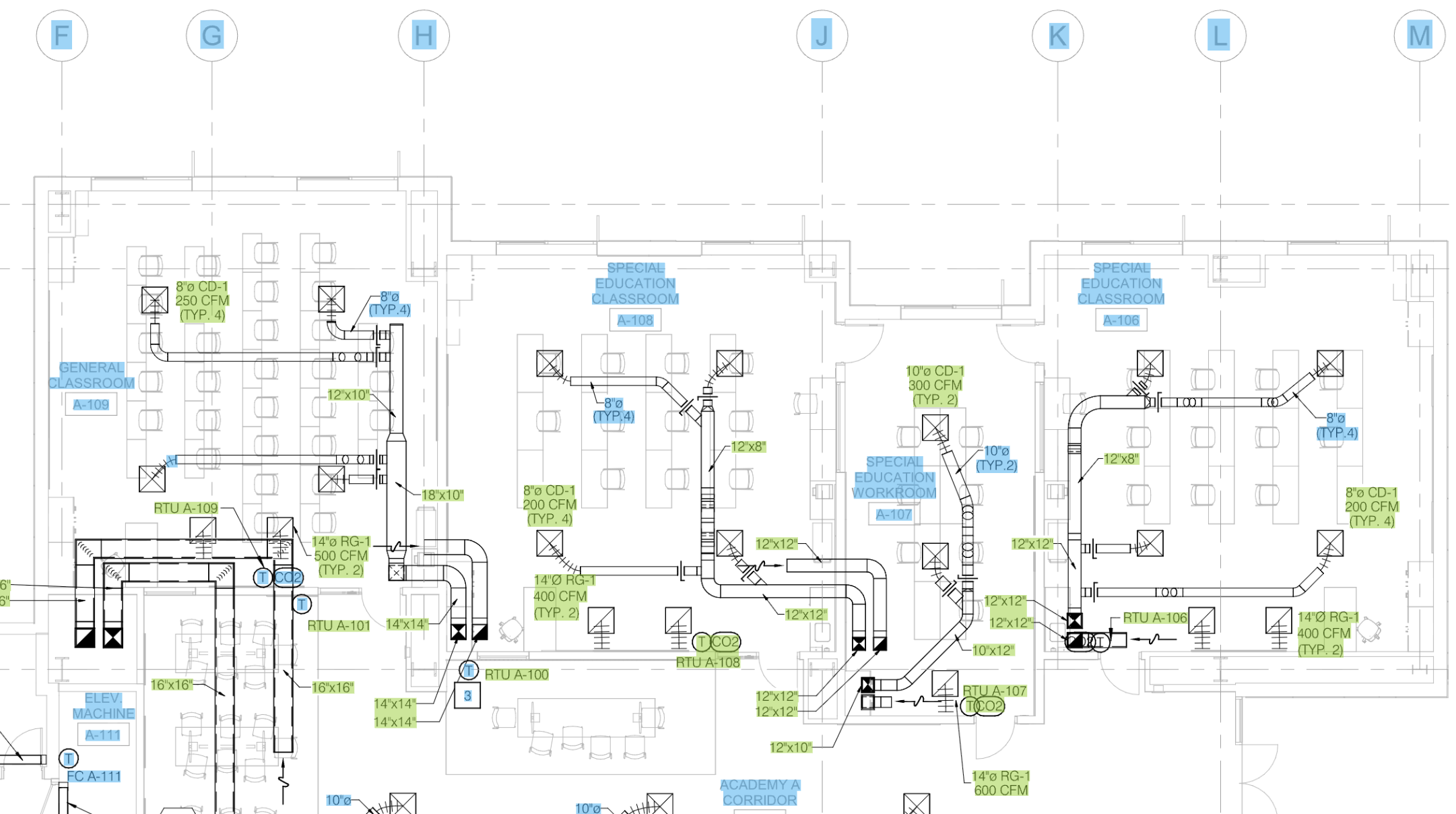
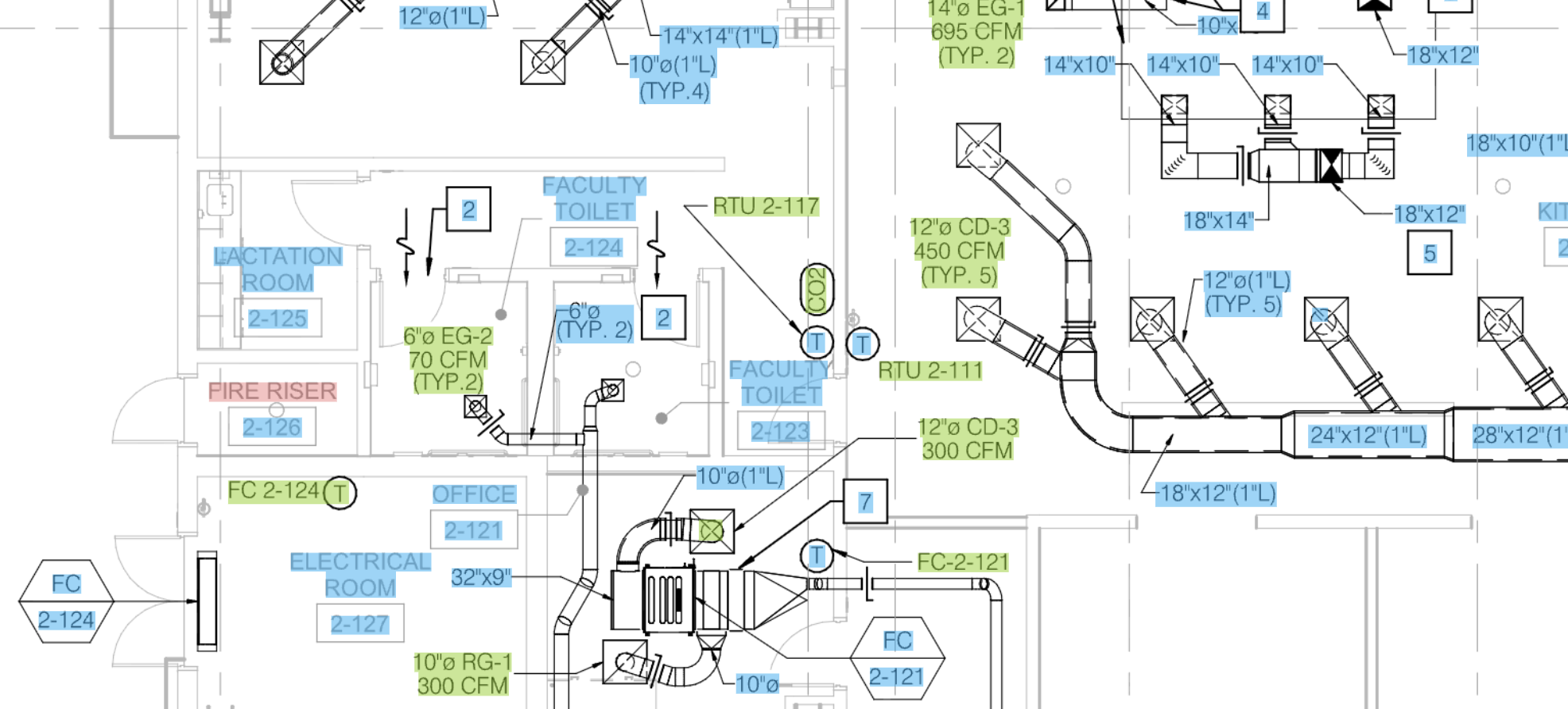
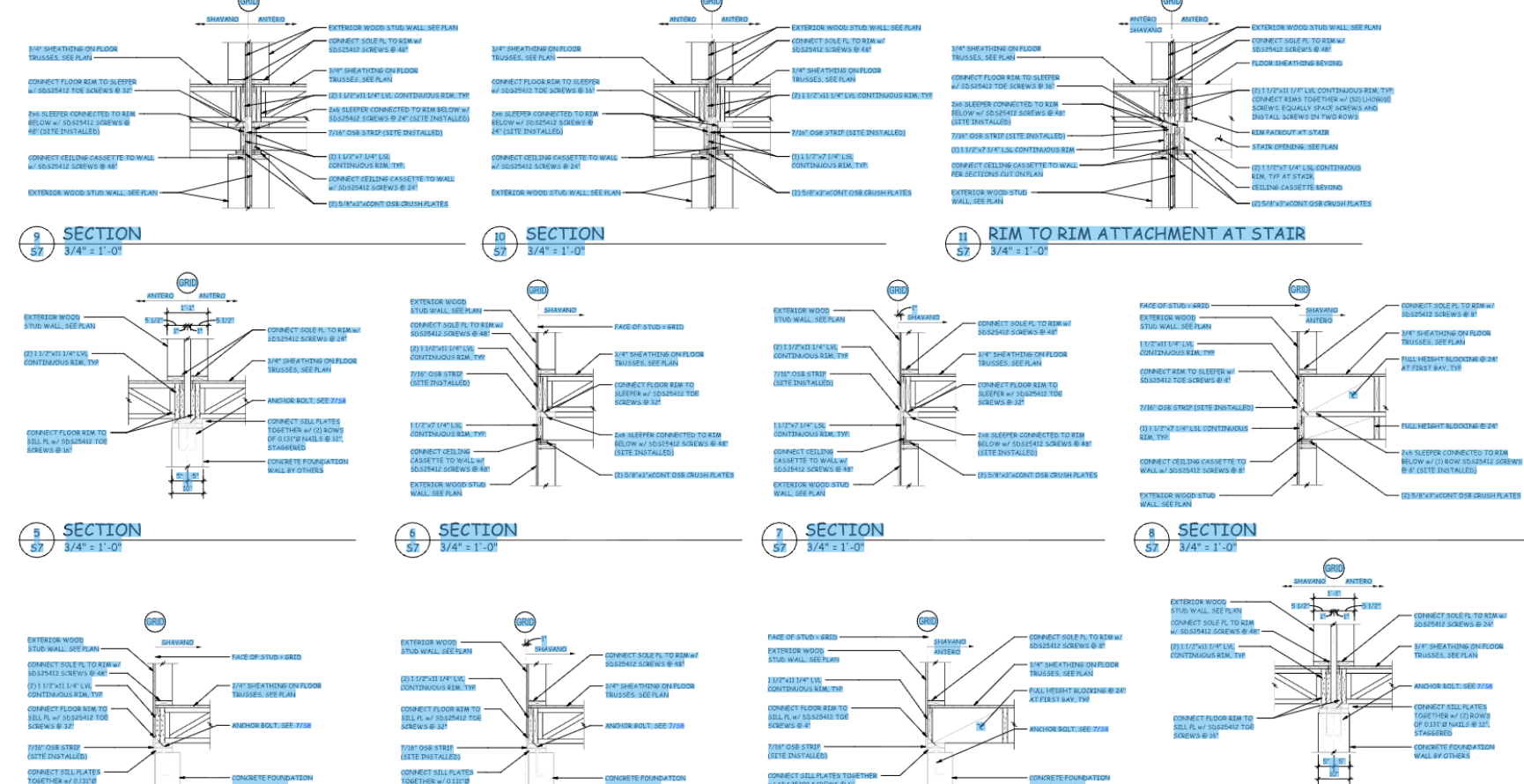
- Bounding boxes are tight. And I don’t mean “axis-aligned rectangle around the rough area.” I mean tight - the box hugs the actual ink.
- It’s fully self-hosted. No third-party API in the loop. The model runs on our own server infrastructure - drawings never leave it, which matters a lot in this industry.
- It’s fast. Production-fast, on a real sheet, not a benchmark thumbnail.
And don’t take my word for it - it’s running in production at scoreboardai.net, with real customers paying for it.
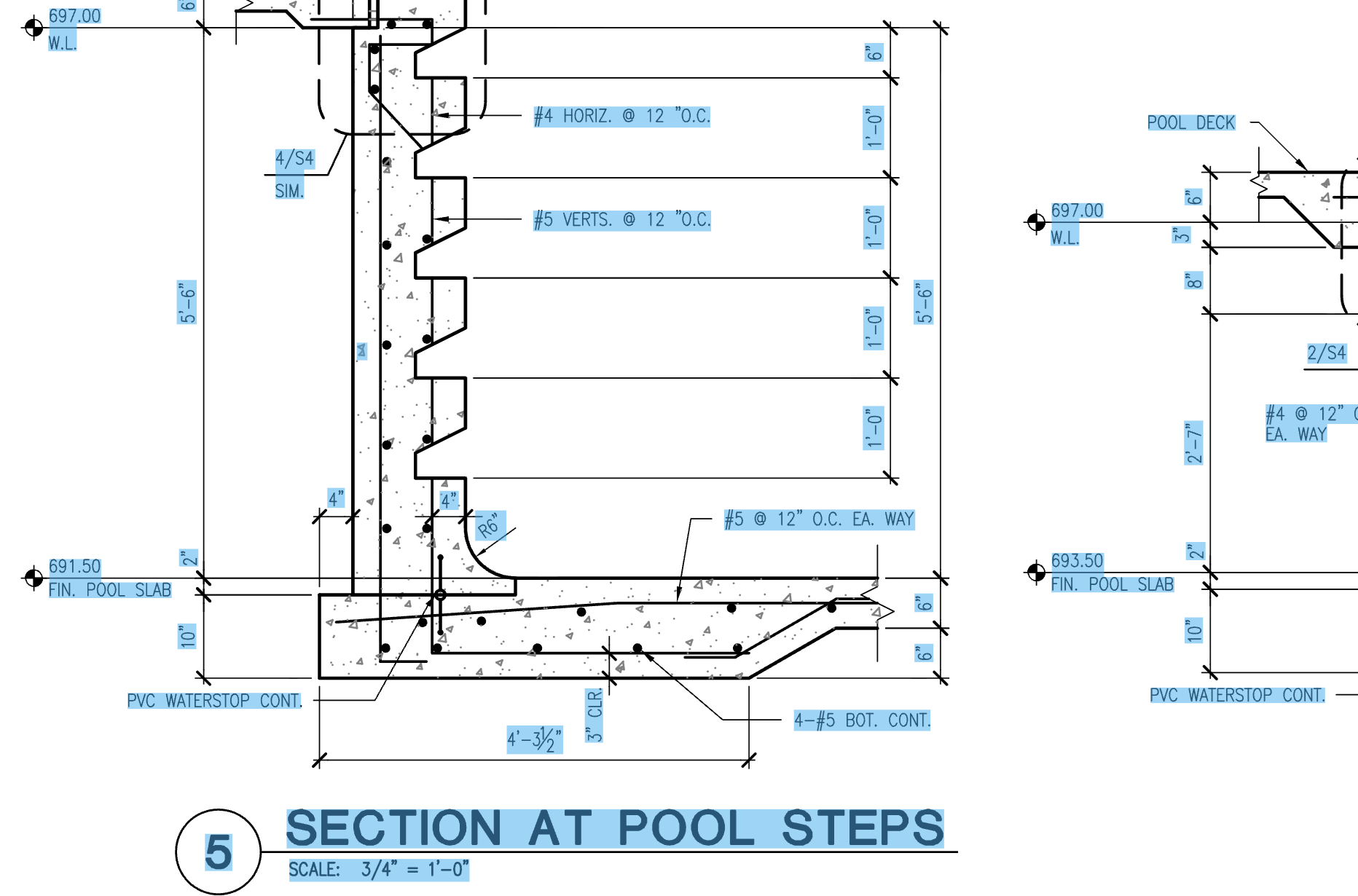
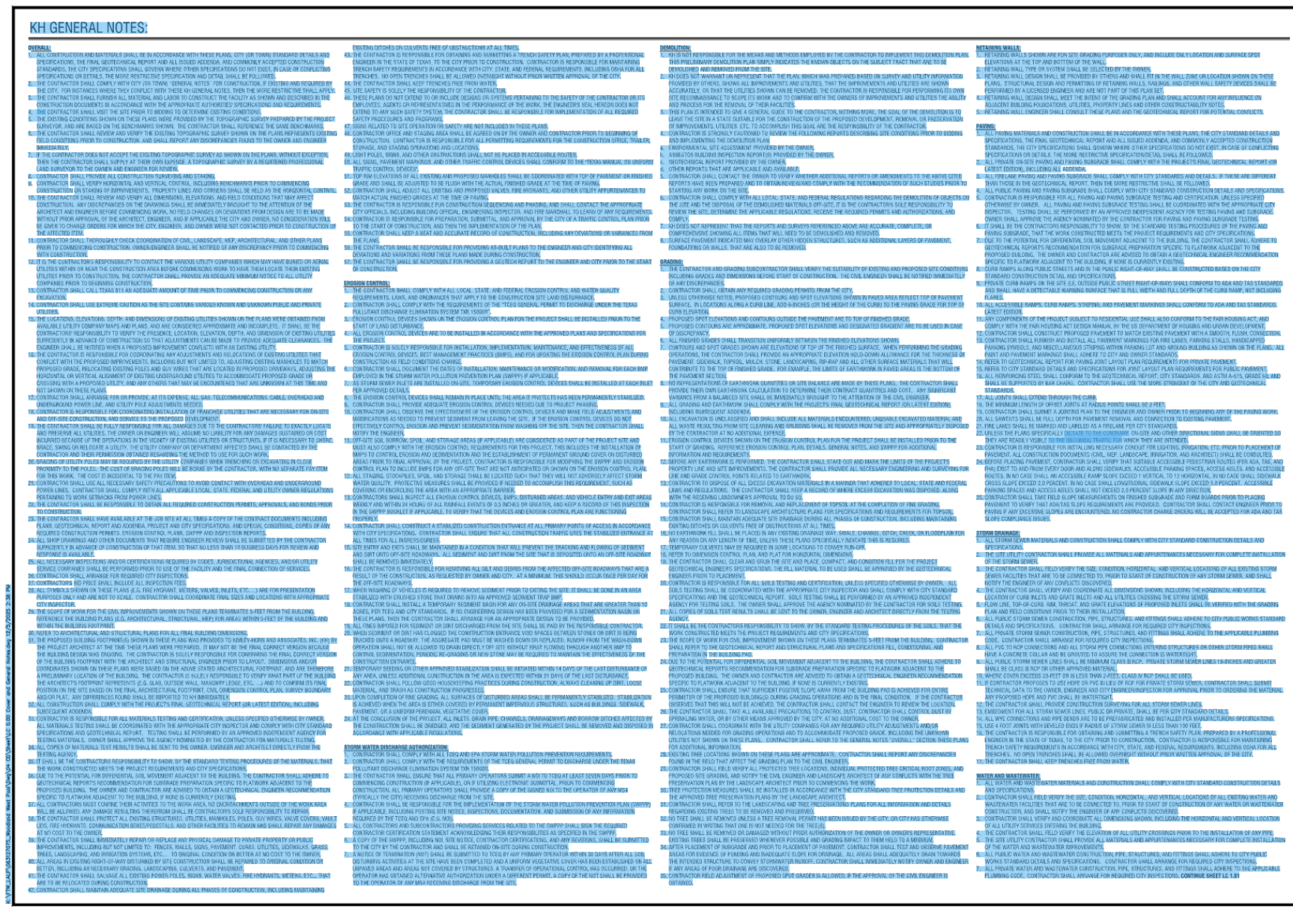
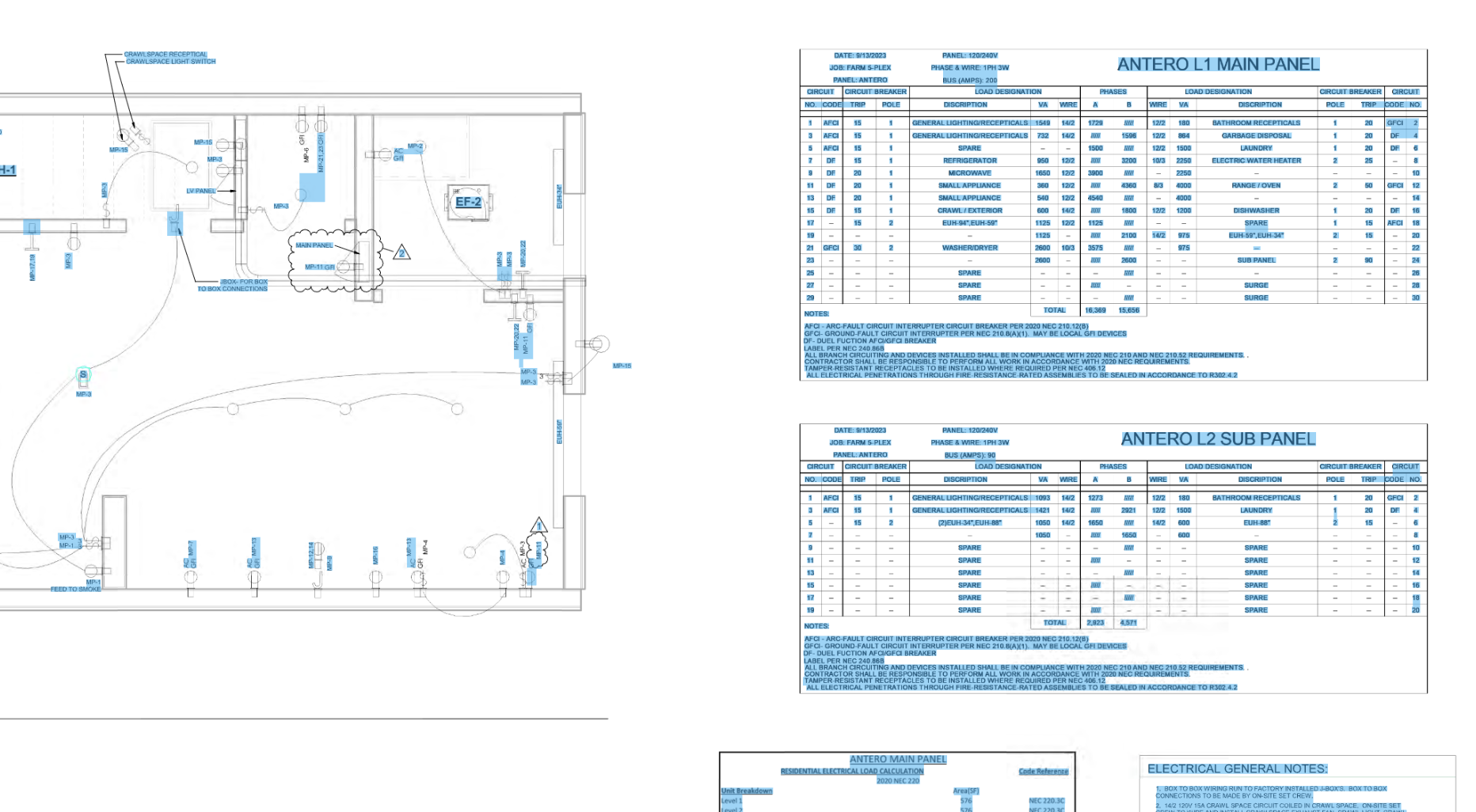
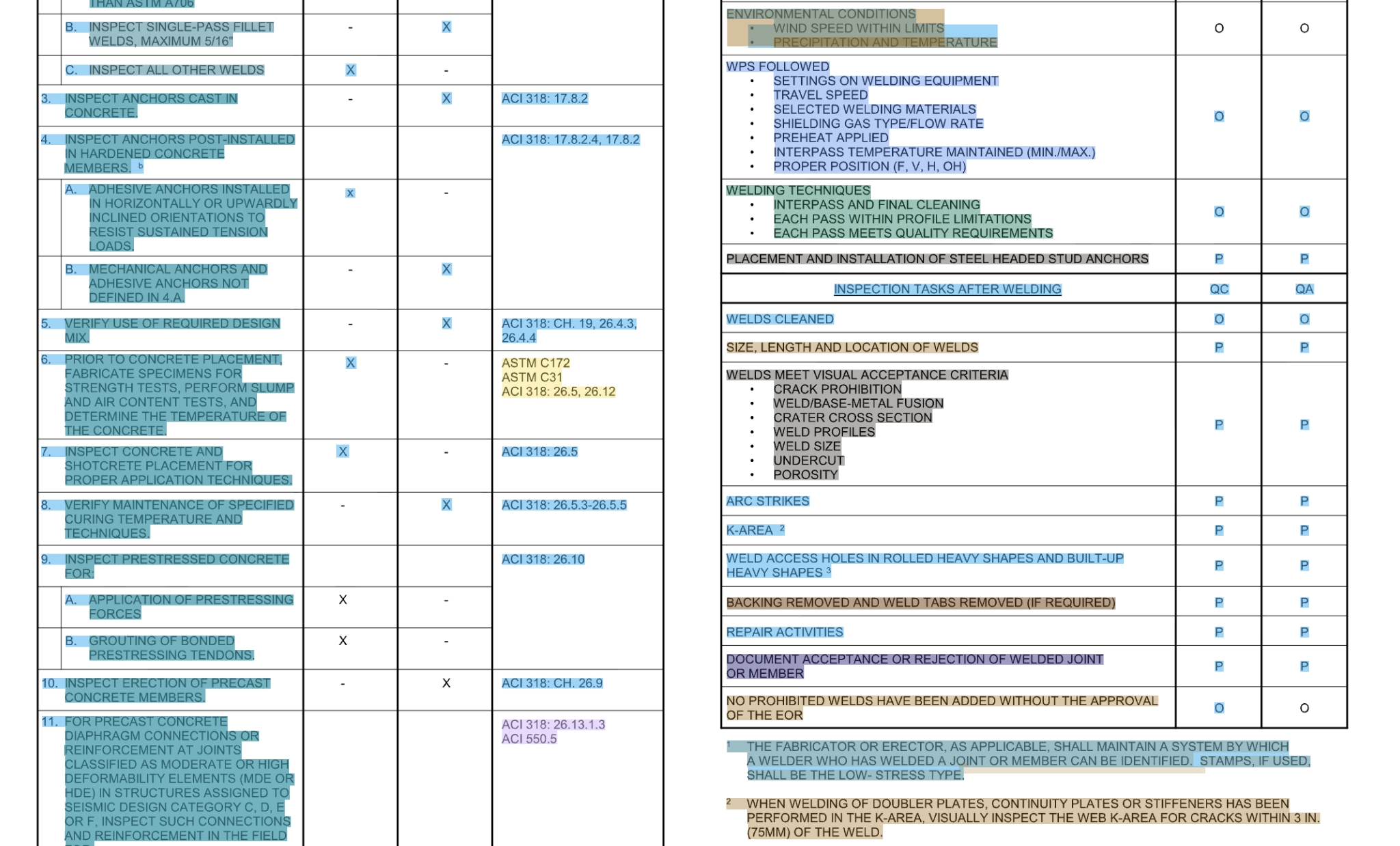
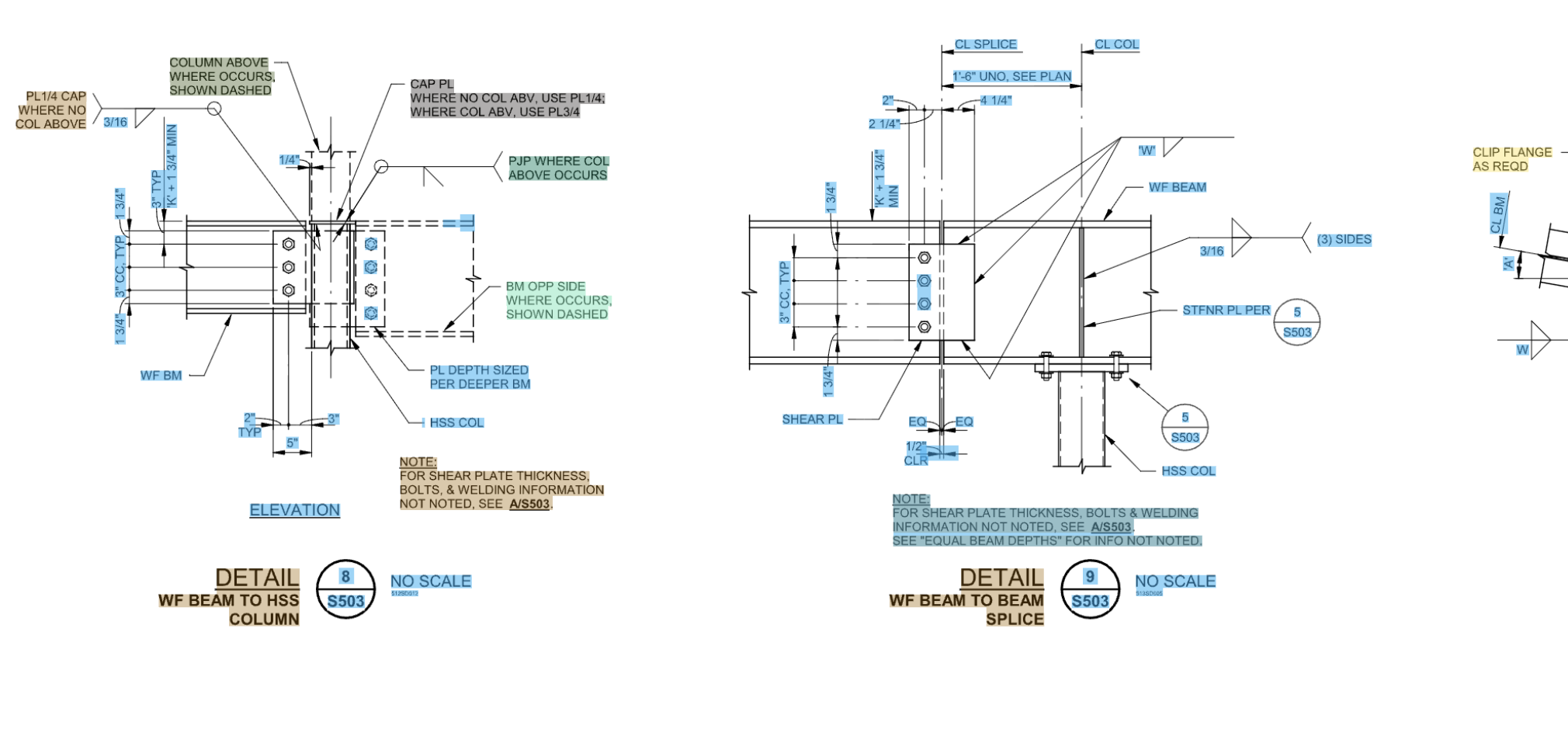
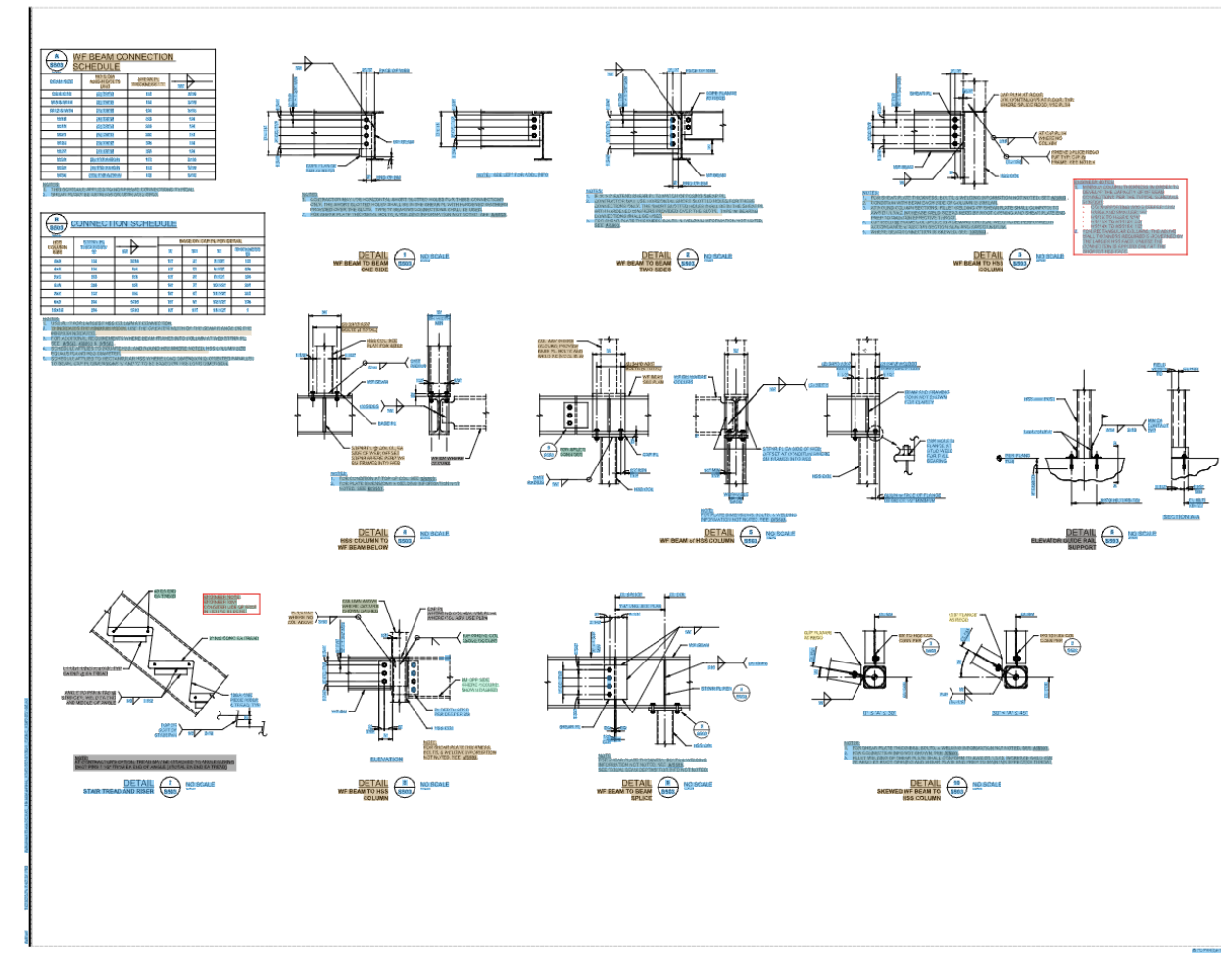
Here are some samples of the actual output, on real drawings, with the bounding boxes drawn back on top of the source. Pay attention to how the boxes follow rotated and inclined text, hug the ink instead of the surrounding whitespace, and how nothing important gets dropped:
Takeaway
“OCR is solved” is true for the OCR most people mean. Drawings aren’t documents - they’re a visual language where layout and spatial anchoring carry load-bearing meaning. The interesting work in 2026 isn’t reading characters - it’s recovering the structure those characters belong to. I solved this while building ScoreboardAI, and it took a lot more than calling a vision API.